The first day: where to start
A restaurant goes live in a day. Do it in this order and you take your first order the same evening.
Keel is two halves: the site your guest sees and the panel you see. Whatever you change in the panel appears on the site immediately — there is no separate publish button.
The order
- 1Restaurant profile — name, phone, address and opening hours in Settings. With no hours filled in, the site shows «closed».
- 2Categories — «Main courses», «Drinks». Categories first: a dish cannot be saved without one.
- 3Menu — dishes, prices and photos. The menu can be imported from a link or from your old till.
- 4Delivery — price by zone or by distance. Without it a guest cannot enter an address.
- 5Payments and SMS — SMS is required for customers to sign in; online payment is optional (cash always works).
- 6Staff — accounts for the cashier, the waiter, the cook. Each gets their own login.
⚠Do not try to fill in the store and the tech cards on day one. They only work if deliveries are entered regularly; otherwise the reports show numbers that are wrong. Get selling first, start the store in the second week.
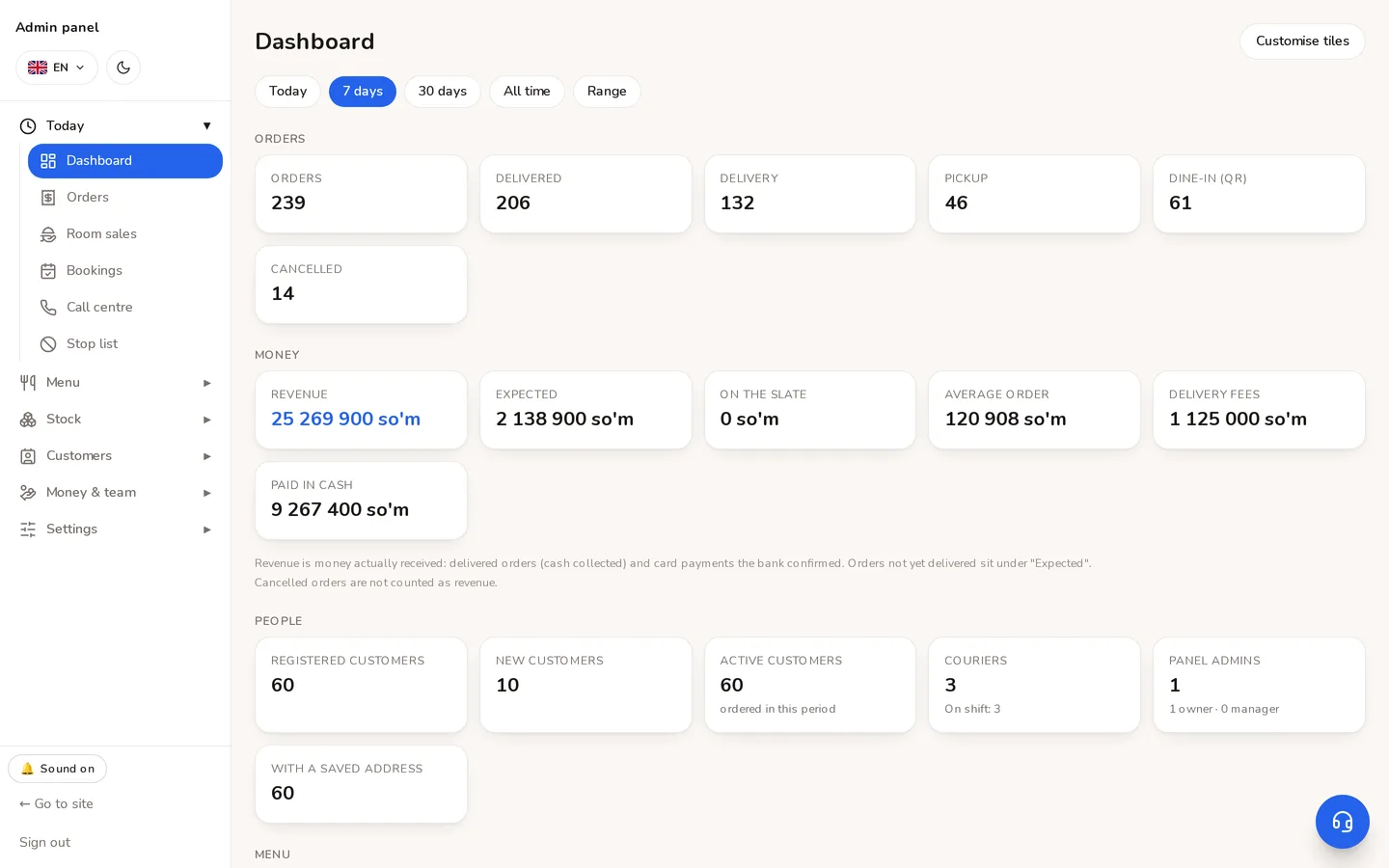
- 1The sections, on the left. Groups open and close — every screen is found here.
- 2The period picker: every figure on the home screen belongs to it.
Didn't find the answer?
Write on Telegram — a person answers. Tell us which screen you are on and what you expected, and the answer comes in the first reply.
Telegram