Adding an employee
Cashier, waiter, cook — each with their own account and their own app.
Money and team → Staff → Add.
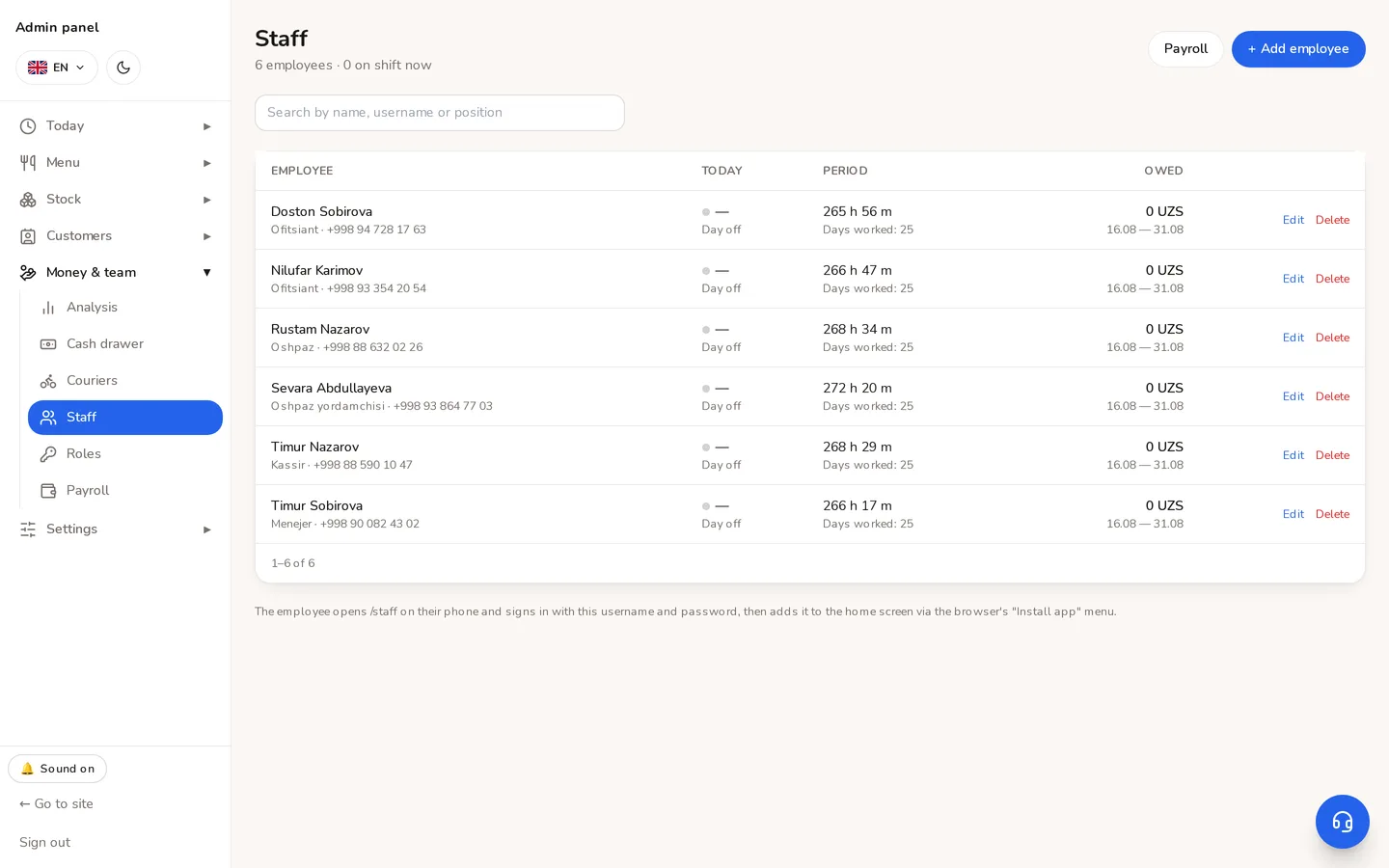
- 1A new employee is added here.
What you fill in
| Field | Notes |
|---|---|
| Name | Appears in the calendar and the reports. |
| Position | Free text («cook», «waiter»). It is not a permission — the system never reads it. |
| Branch | Which building they work in. Attendance and store work are recorded there. |
| Login and PIN | For the till and the staff app. |
| Pay | A salary, or a daily/hourly rate. A salary is divided across the month's rostered days. |
| Permissions | Kitchen screen, stock counting — each granted separately. |
⚠Position is not a permission. Typing «cook» does not open the kitchen screen; that has to be ticked. Treating the position as a permission would hand out keys to whoever's spelling happened to match.
The employee signs in at yoursite.uz/staff: clock in and out, their own calendar and — where granted — the kitchen screen or stock counting.
Do not delete somebody who has left; set them inactive. Their shifts and pay history stay, and access closes immediately.
Didn't find the answer?
Write on Telegram — a person answers. Tell us which screen you are on and what you expected, and the answer comes in the first reply.
Telegram