Tech cards: costing a dish
What goes into one portion — and from it, both the cost and what leaves the store.
Store → Tech cards → Dishes. For each dish you list ingredients and quantities.
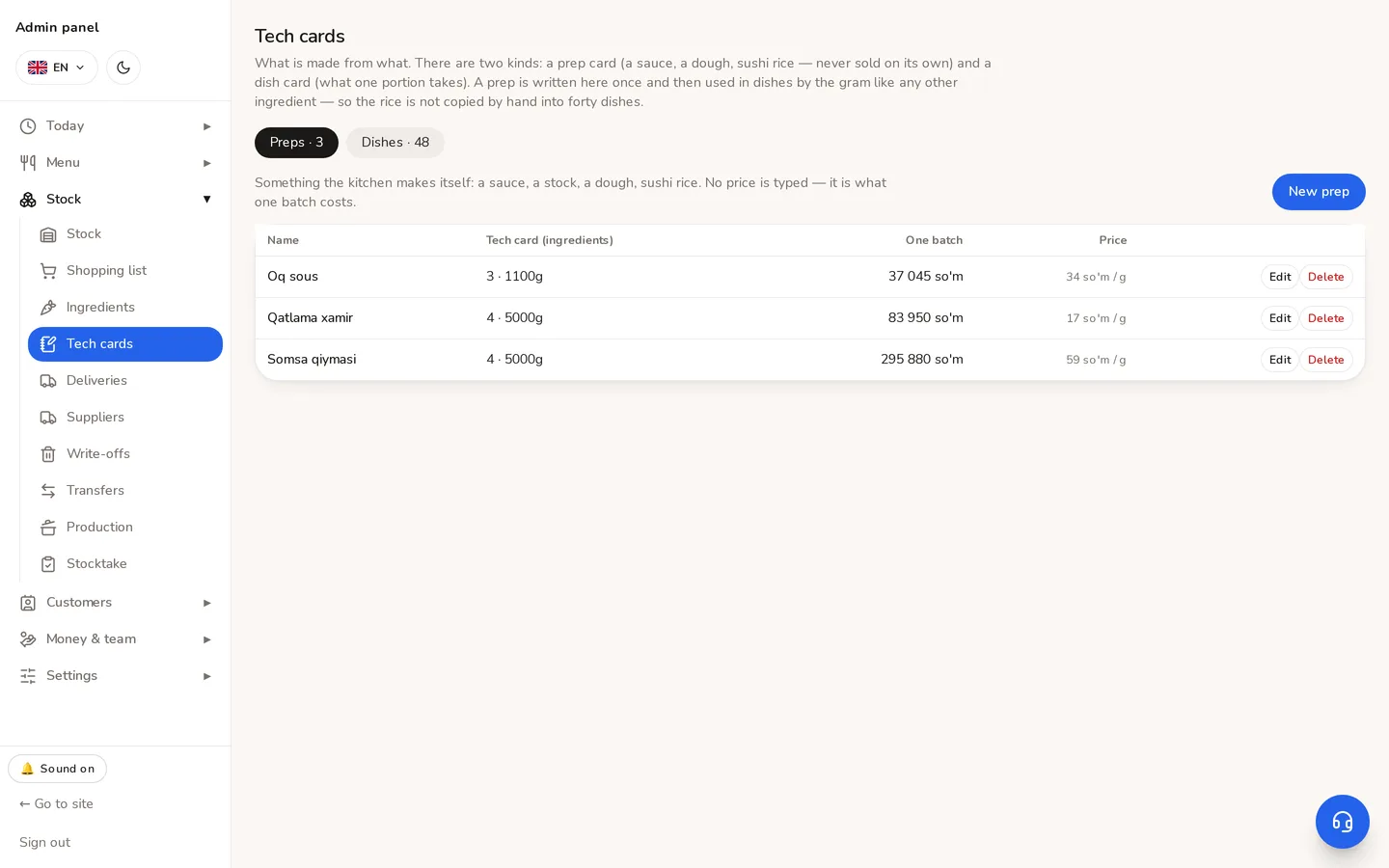
- 1Two sections: preps (semi-finished items the kitchen makes itself) and dish cards.
- 2The cards for menu dishes are here.
- 3Add a new prep.
- 4What one batch costs — a figure you can check against a pot.
- 5The resulting price of one gram — that is what dishes are charged.
Writing a card
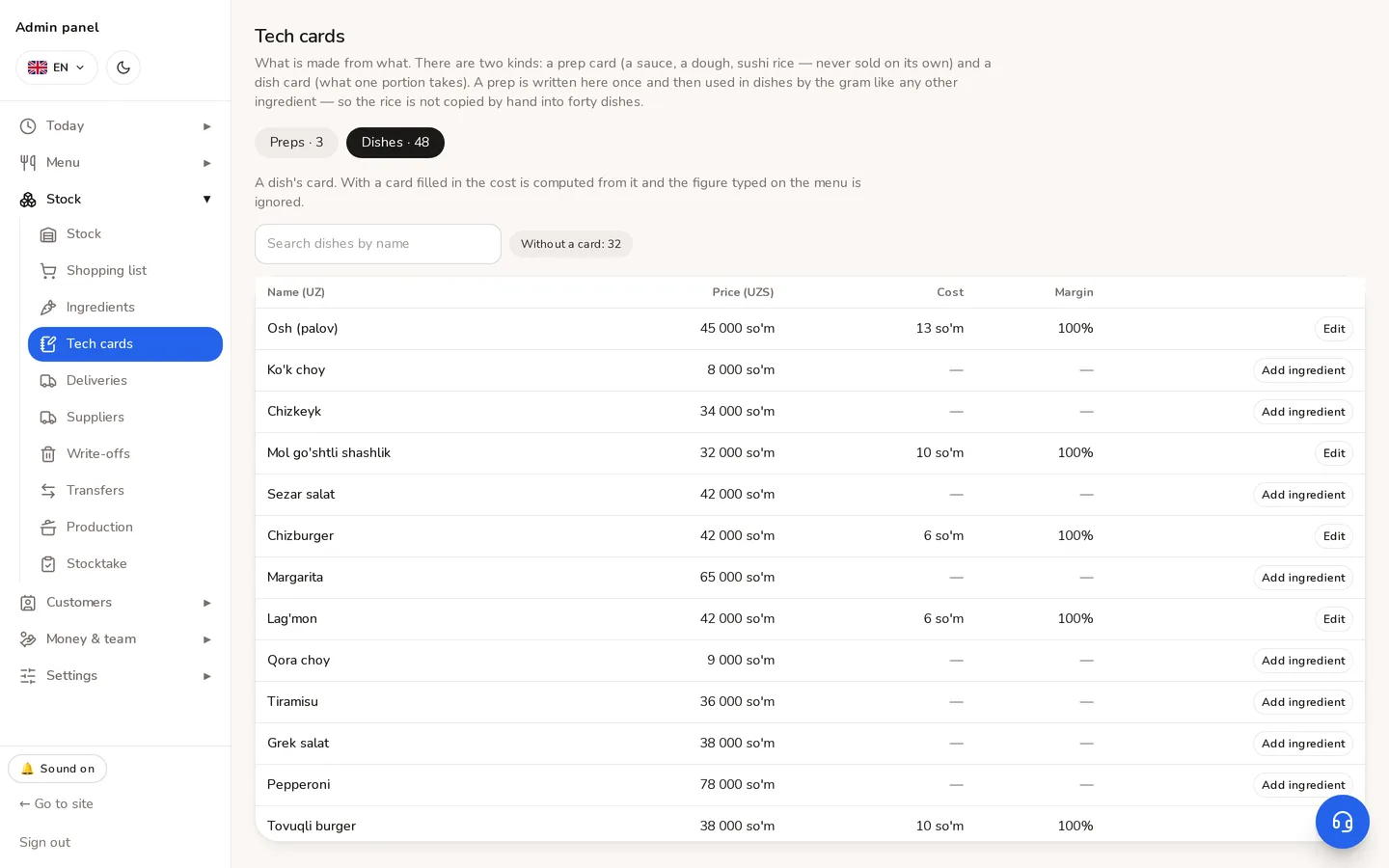
- 1Open the Dishes tab and find the dish. The «no card» filter shows what is left to do.
- 2Press Add — choose an ingredient and enter the quantity.
- 3Quantities are gross: the weight that leaves the store, not what ends up on the plate. A kilo of potatoes costs a kilo, peel included.
- 4The cost and margin update as you type.
- 5Save.
⚠Once there is a card, the cost typed on the menu is not used. One number cannot have two sources — the card is recalculated on every read at today's ingredient prices.
⚠An incomplete card does not cost the dish at all. If one of its ingredients has been deleted, the cost becomes zero — not smaller. Otherwise a deleted ingredient would make a dish look more profitable, and on a margin screen that reads as good news.
An ingredient in use cannot be deleted: the system names the dishes still holding it.
Didn't find the answer?
Write on Telegram — a person answers. Tell us which screen you are on and what you expected, and the answer comes in the first reply.
Telegram